

Melon Sandbox


Melon Sandbox
•
Published Feb 21st, 2024 with 1114952 plays
Platforms:
Share on:
Controls:
- Mouse interaction
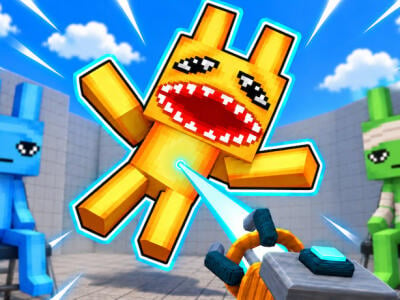
Unleash your inner mad scientist in Melon Sandbox, the pixelated playground where chaos reigns supreme! Spawn an arsenal of crazy items – from guns and grenades to magic syringes – and watch ragdoll characters hilariously react. Build obstacle courses, craft explosive contraptions, or just wreak havoc with reckless abandon. The possibilities are endless!
Experiment with physics, mix and match elements, and create uniquely destructive scenarios. Share your twisted creations with the community and bask in the glorious mayhem. Remember, imagination is your only limit! So, grab your virtual hero and get ready to squash, explode, and destroy everything!
Experiment with physics, mix and match elements, and create uniquely destructive scenarios. Share your twisted creations with the community and bask in the glorious mayhem. Remember, imagination is your only limit! So, grab your virtual hero and get ready to squash, explode, and destroy everything!
Features:
- Ragdoll characters react hilariously
- Build obstacle courses and explosive contraptions
- Experiment with physics and mix elements
- Create uniquely destructive scenarios














I LOVE THIS GAME😍
Replyoh ok there are murders much better and they and a body of me😃😃😃
Replyhey idk why but the map editor doesnt work
Replyi don't know how to make orane apple ???
you need to put pumpkin and apple in nanosebler to mix it up,
is very very very very very very very very very very very very hard too make
OMG I LIVE.IT
ReplyI love melon playground.😃
Nah bro, that profile pic is more fire than Hell itself! 🔥🔥🔥👌👌👌
For real
Artimel you can just spawn stuff by just dragging on it.
ReplyI HATE THE ADS!!!!!!!!!!!😡😡😡😡😡😡😡😡😡😡😡😡😡
ME TOO
M-y battery i-is low an-d it's get-t-ing dar-k
Battery is dead and low- Mr fun computer
i dont like the game beacuse i CANT SPAWN STUFF😡
drag them on screen it's easy
How do you drag them on the screen?
Here's how you do it:
1. Open the Spawn Menu: On the left side of your screen, you will see a vertical toolbar with various icons (a heart for living things, a gun for weapons, a box for props, etc.).
2. Select a Category: Tap on one of these icons to open a specific category.
3. Choose Your Item: Scroll through the list and tap the specific item you want to spawn. It will appear in the center of your map.
Bruh I never played the game before and I figured it out instantly
The video cut immediately when I’m making the fun part
ReplyLOL🤣🤣🤣🤣🤣🤣🤣🤣🤣🤣🤣
ReplyI HATE ADDS!!!!!!!!!
ReplyAwesome game
ReplyBTW
If you buy any fnaf items you get fnaf items that you can spawn THAT CAN INFINITLY SPAWN!!!1!1!1!
Reply